
THEME STUDIO · BUILT INTO PRO
Make WeaselWorks Yours
Pick a built-in theme, download a theme pack, or make your own with your colors, fonts, button shapes and a background picture. Each person chooses their own look, and administrators can add themes for the whole team.

Three Ways to Get Your Look
All three come with WeaselWorks Pro. Every theme shows as a card in each person's Settings › Look. Tap one to use it: happy little themes, one tap away.
Pick a Built-In Theme
Classic, Cozy Mocha and Bubblegum come ready to use with Pro, and administrators can change their colors in WP Admin to match your brand.
Download a Theme Pack
Ready-made themes from weasel.works. Import them in Settings › Look › Import a Theme, or an administrator adds them for everyone.
Make Your Own
Each person can make up to five themes in Settings › Look › Create a Theme, and the whole screen shows the theme live while you edit.
BUILT INTO PRO
Theme Studio PRO
Make Your Workspace Yours.
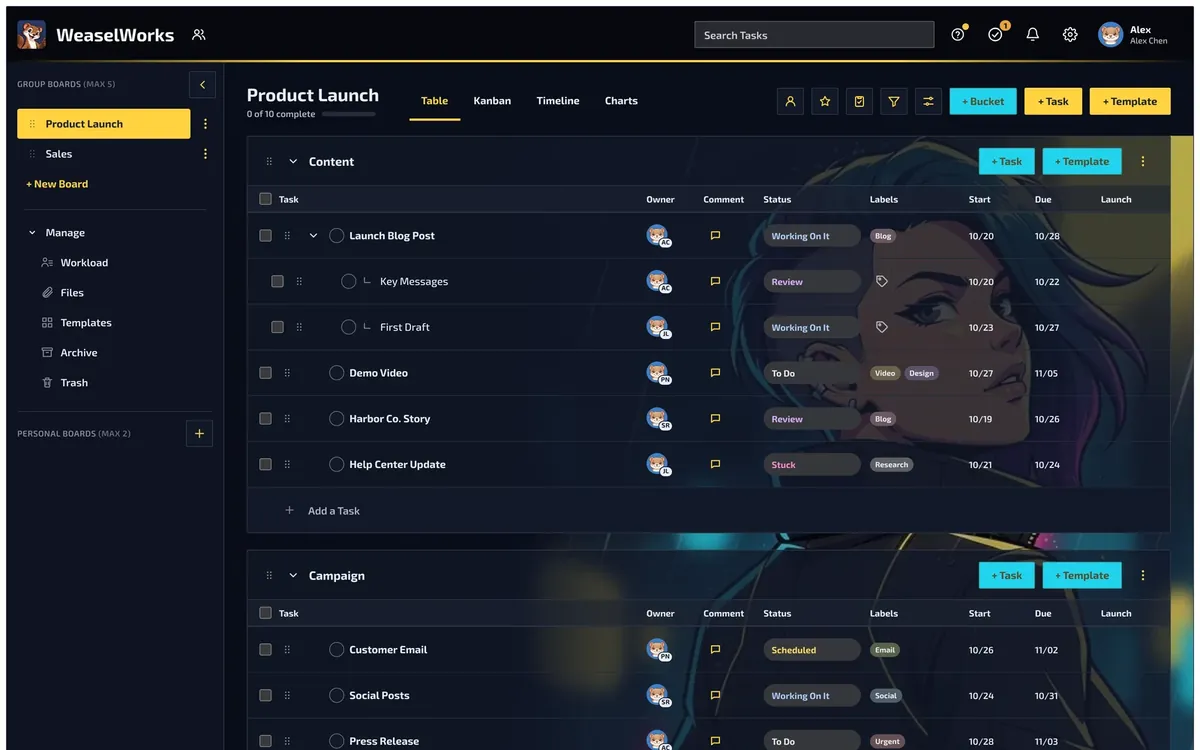
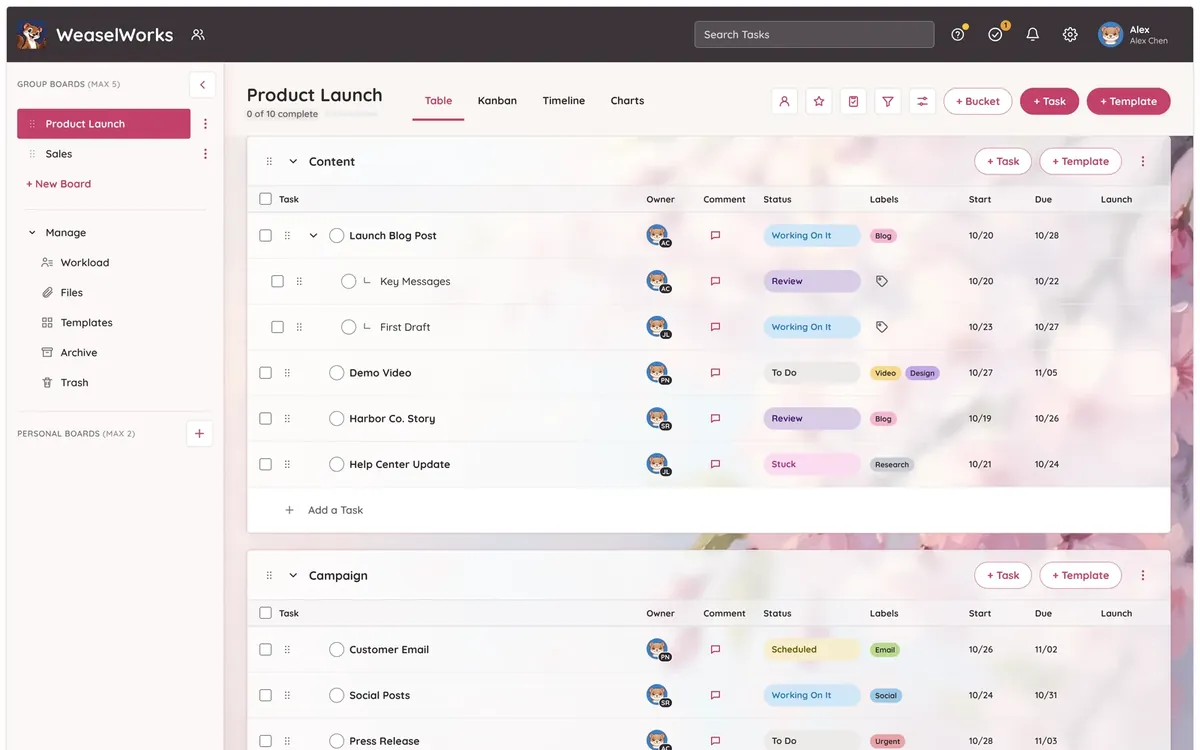
Nothing extra to download or switch on: Theme Studio comes with WeaselWorks Pro. Each person can make up to five themes of their own, and the whole screen shows the theme live while you edit. Here's what you choose:
- Base: Light or Dark
- Colors: page, cards, top bar, sidebar, accent, both buttons and text, with a warning if text would be hard to read
- Style: corners, a font, Square, Rounded or Pill buttons, shadow, glow and an accent line
- Picture: your own background, with Solid, Clear or Frosted glass panels, on the screens you pick and on phones if you like
Share any theme as a single .wwtheme file with its picture inside. You see a preview before you import one. Administrators can add themes for everyone and choose who can make their own.
Theme Packs
Free packs of ready-made themes for WeaselWorks Pro. Download a pack, unzip it, and import the happy little themes you like best.




FEATURED THIS SEASON
Holidays FREE DOWNLOAD
10 themes · 6 light, 4 dark
A theme for the days worth celebrating, each with its own picture. Switch with the seasons, or keep Halloween all year.
Inside: New Year’s Eve, Valentine’s Day, St. Patrick’s Day, Canada Day, Fourth of July, Bastille Day, Heritage Day, Bavaria, Halloween and Christmas.
More Packs

Starter Pack FREE DOWNLOAD
5 themes · 2 light, 3 dark
Five themes to start with, from calm Paper Light to rainy Neon Rain.
Starship Command, Red Eye Machine, Neon Rain, Cherry Blossom and Paper Light.

Game Day FREE DOWNLOAD
10 themes · 5 light, 5 dark
Bold game-day colors, all over the same football field under the lights. Pick the colors you cheer for.
Lone Star Steel, Northwoods Gold, Prairie Fire, Forge Black, Bay Area Red, Liberty Green, Harbor Navy, Lakefront Orange, Desert Night and Rocky Mountain Sunset.
High Contrast FREE DOWNLOAD
4 themes · 2 light, 2 dark
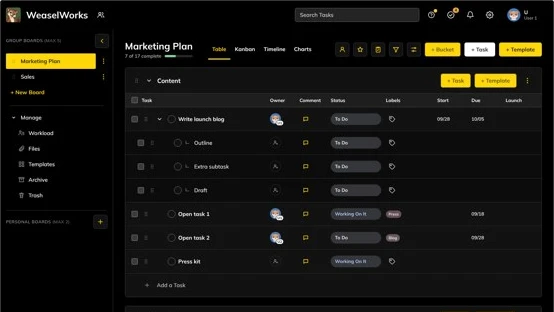
Made for easy reading: strong contrast, solid panels and no pictures. Blue and Orange is friendly to color blindness.
High Contrast Light, High Contrast Dark, Yellow on Black and Blue and Orange.
Add a Pack in Three Steps
It only takes a minute, and you see each theme before it's added.
1. Download and Unzip
Download the pack and unzip it. Inside is one .wwtheme file for each theme.
2. Import a Theme
In WeaselWorks, open Settings › Look › Import a Theme and choose a file. You see a preview first.
3. Pick It
Your new themes show as cards in Settings › Look. Tap one, and enjoy your happy little workspace.
Themes for Your Whole Team
With WeaselWorks Pro, administrators decide what everyone can choose from.
Add Themes for Everyone
Add your brand's themes, or a whole pack at once, in WP Admin › WeaselWorks › Organization Appearance › Themes. They appear on everyone's Look screen.
Look After Every Theme
Edit any theme, change the built-in colors and manage the pictures themes use.
Set the Rules
Choose who can make their own themes and how many each person can have.
Questions, Answered
Happy little answers about themes and theme packs.

Do I need to install Theme Studio?
No. Theme Studio is built into WeaselWorks Pro, so there's nothing extra to install. If you still have the old Theme Studio plugin, WeaselWorks asks you to delete it, and your themes and pictures carry over.
What do I get with WeaselWorks Free?
WeaselWorks Free has the WeaselWorks look and Dark Mode. The built-in themes, theme packs and Theme Studio come with WeaselWorks Pro.
Can I share a theme with someone?
Yes. Export any theme as a single .wwtheme file, picture included, and send it to them. They see a preview before they import it.
Can my team still use the WeaselWorks look?
Yes. A theme changes only your own screen, so everyone keeps their own look, and the WeaselWorks look is always there in Settings › Look.
Ready for Some
Happy Little Themes?
Theme Studio comes with WeaselWorks Pro. Compare the plans, or start with WeaselWorks Free today.